ArcGIS Pro Base maps missing
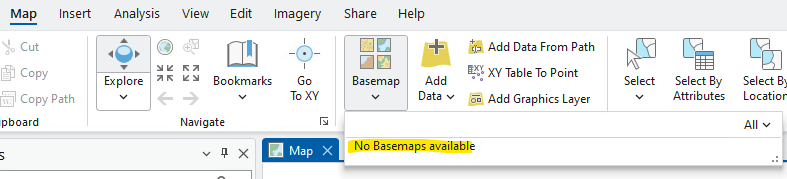
The base maps may be missing when you launch and authenticate ArcGIS Pro:
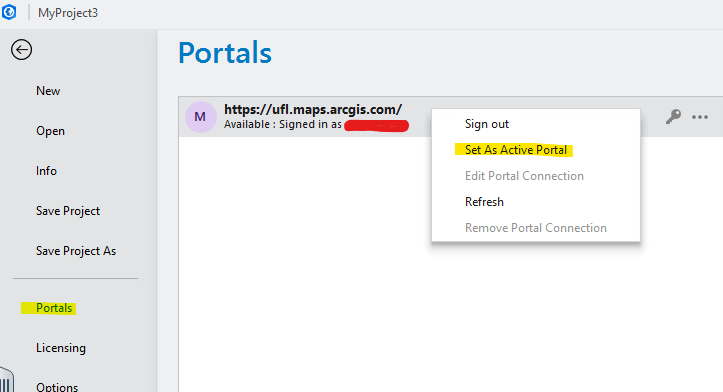
To resolve this problem, Go to the Project Menu, select Portals, then right click on the ufl.maps.arcgis.com selection and select “Set As Active Portal”